
Seller’s Bay
SEO tools & resources
Ecommerce SEO
Product SEO overview
Shopify SEO tools
WooCommerce SEO tools
Product description generator
Content & research
SEO content tools
Organic Visibility
Rank tracking
White-label SEO reports
Resources & pricing
BUILT FOR CLIENT SEO
SEO automation tools for your client work
Improve product content, plan articles, track rankings and share clear reports. Keep each client’s work together in a campaign built for agencies and freelancers.



YOUR CLIENT WORKSPACE
SEO automation tools for the tasks you manage.
Choose the SEO automation tools that fit the task, from product improvements to the report you share with the client. See how they fit into a client workflow.
Product SEO
Prepare titles, descriptions, meta descriptions and image alt text for WooCommerce and Shopify products. Review before syncing.

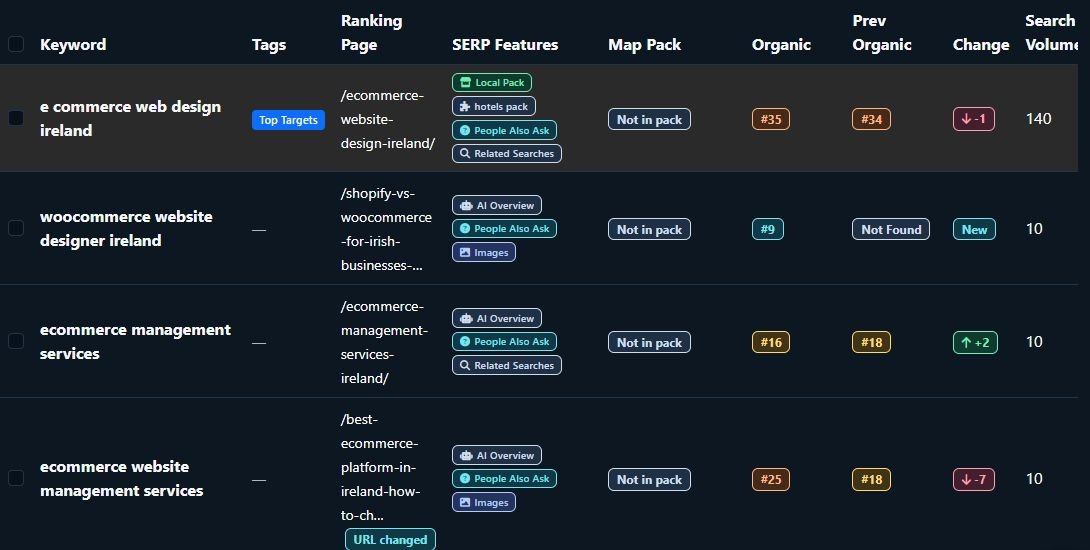
Keyword rankings
Track the search terms that matter to each client and follow how their positions change over time.
Content planning & articles
Plan supporting topics, create outlines and write editable articles. Send reviewed content to WordPress as a draft.
Organic Visibility
Review the organic keywords and landing pages found for your campaign website. Refreshes use credits.
Client reporting
Turn campaign data into branded reports that help clients understand the work and the progress.

Separate client campaigns
Keep each client’s products, keywords, content and reports organised in their own workspace.
PRODUCT SEO
Product SEO for WooCommerce and Shopify.
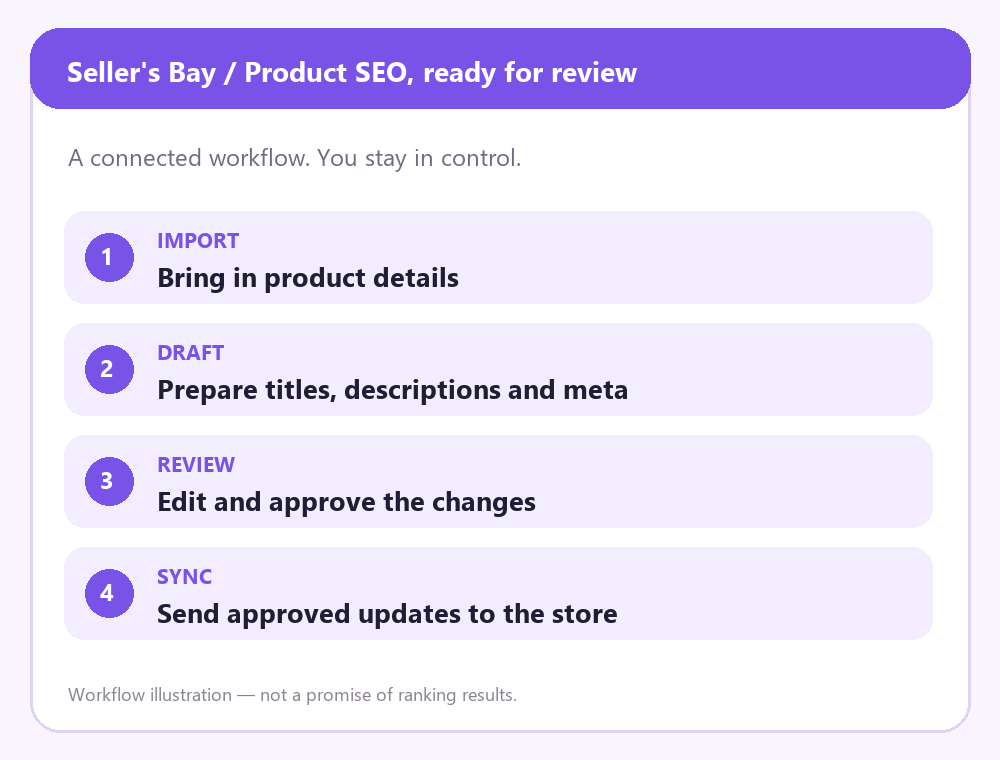
Import the products you want to work on from WooCommerce or Shopify. Prepare content from verified catalogue details, then choose which changes are ready for the store. Start with the WooCommerce SEO checklist for wider store priorities.
Titles & descriptions
Draft product titles and descriptions, then edit the wording to suit the store.
Meta & image alt text
Prepare meta descriptions and useful alt text alongside the product content.

Review & approved sync
Check the details and sync the updates you approve to the connected store.
CONTENT & ARTICLES
Content planning and WordPress article drafts.
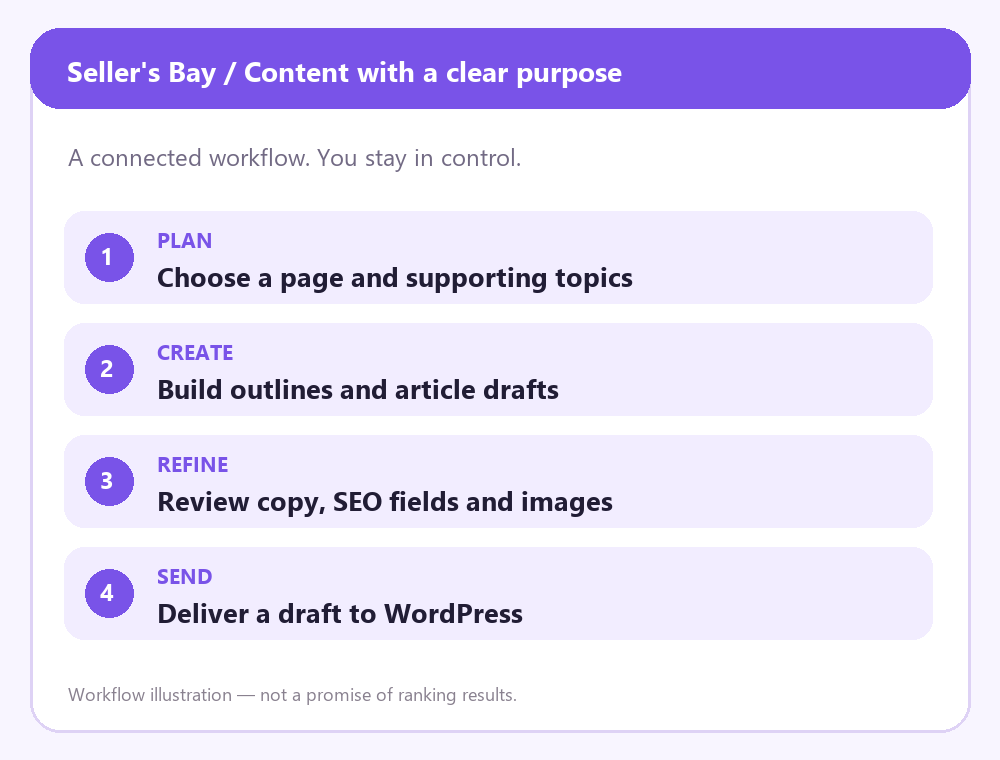
Build supporting topics around the pages that matter to the business. Develop editable drafts and keep the writing, SEO fields and publishing preparation together.
Topic clusters & outlines
Plan related topics and prepare outlines around the client’s priorities.
Editable article drafts
Refine the body copy, SEO title, meta description, FAQs and featured image.
WordPress draft delivery
Send the reviewed article to WordPress as a draft for the final publishing step.
KEYWORD TRACKING
Keyword rank tracking and search insights.
Track the search terms that matter to the campaign and follow their positions over time. Keep ranking history alongside the content and products you are improving.
Selected search terms
Choose relevant keywords for the client’s website and campaign.
Ranking history
See changes over time, with the campaign context close at hand.
Connected search insights
Bring in Search Console queries to help choose the terms you want to track.
ORGANIC VISIBILITY
Organic Visibility for your website.
Review the organic keywords and landing pages found for your own campaign website. Check the report date and market before using the results to choose your next priority.

Organic keywords
See the organic search terms found for your campaign website.
Landing pages
Review which landing pages appear in the saved organic results.
Weekly refreshes
Enable weekly refreshes when your account has enough eligible credits. Each refresh uses credits.
REPORTS & CLIENT PORTALS
Branded reports and read-only client portals.
Bring campaign results into a branded report and share selected information through a read-only portal. Keep the client informed while your team manages the work.
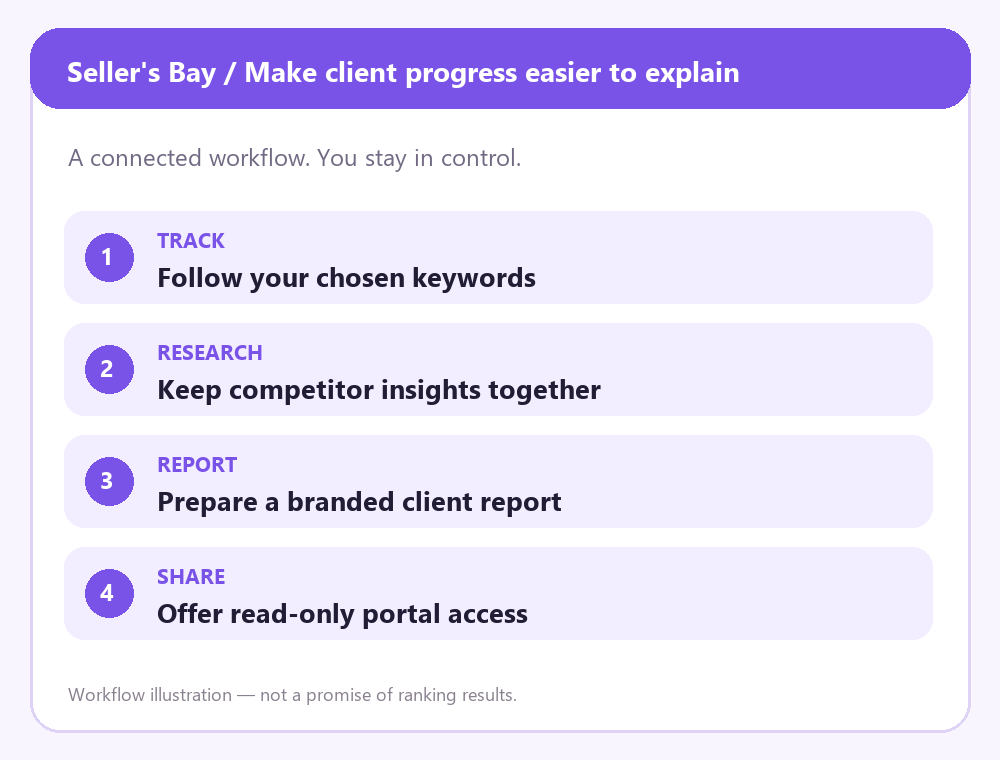
Branded PDF reports
Present campaign information using the agency’s branding.

Read-only client access
Share the campaign sections you choose without giving clients editing access.
Control what is shared
Choose the information each client can see through their portal.
CLIENT CAMPAIGNS
Separate campaigns for each client.
Organise the website, products, keywords, content and reports around the client campaign. Move between projects with the right business context in front of you.
Separate client campaigns
Keep each client’s products, research and content organised together.
Business context
Store the details that help guide content and campaign work.
Team access on eligible plans
Give your team the access they need within the account’s plan limits.
INTEGRATION
Supported integrations and their roles.
WooCommerce and Shopify support product workflows. WordPress receives reviewed article drafts. Search Console provides connected search insights.
Stores, publishing and insights — with a clear role for each connection

FAQS
Questions about Seller’s Bay features.
A few practical answers about stores, content review, client access and plan availability.
Can I manage different clients and store platforms?
Yes. Organise each client’s work in its own campaign, including WooCommerce and Shopify product workflows. Account limits depend on your plan.
Can I edit AI-generated content?
Yes. Product content and article drafts are editable. Review the wording, facts and SEO fields before deciding what is ready to deliver.
What happens before changes reach a website?
Review product updates before syncing the approved changes. Reviewed articles can be sent to WordPress as drafts for the final publishing step.
What can clients see?
Client portals are read-only. You choose which campaign sections to share, while your team manages the work and spending.
Which features depend on my plan?
Monthly plans set campaign and staff allowances and include subscription credits. Check current package details and available tools before choosing an action.
Which actions use credits?
AI generation and some data refreshes use credits. Review the cost shown for the action you want to run. Opening saved work does not itself generate new content.
Do I have to use every feature?
No. Start with the work the client needs and use the relevant tools. You can combine product SEO, content and tracking as the campaign develops.
Where can I get help?
Email support@sellersbay.com or use the contact page. Tell us which platform and feature you need help with.
Start with your next client campaign.
Bring the research, content, product SEO and reporting together in Seller’s Bay.
EXPLORE
The features

LET’S TALK
Contact us
Seller’s Bay
A connected workspace for agencies and freelancers managing client SEO.
© 2026 Seller’s Bay. All rights reserved.
Support
Third-party names and logos, including WooCommerce, Shopify, WordPress and Google products, belong to their respective owners. They are shown only to identify supported platforms and integrations. Seller’s Bay is not affiliated with, sponsored by or endorsed by these companies or organisations. All copyright and trademark rights remain with their respective owners.